TF-ALS
Sign in

For people with ALS and their family and care staff

Even when speaking becomes hard, your words can still be heard.

TF-ALS lets people who find it difficult to speak because of ALS (amyotrophic lateral sclerosis) choose letters on an iPad and say them aloud, and call their family or care staff right away when they need help.

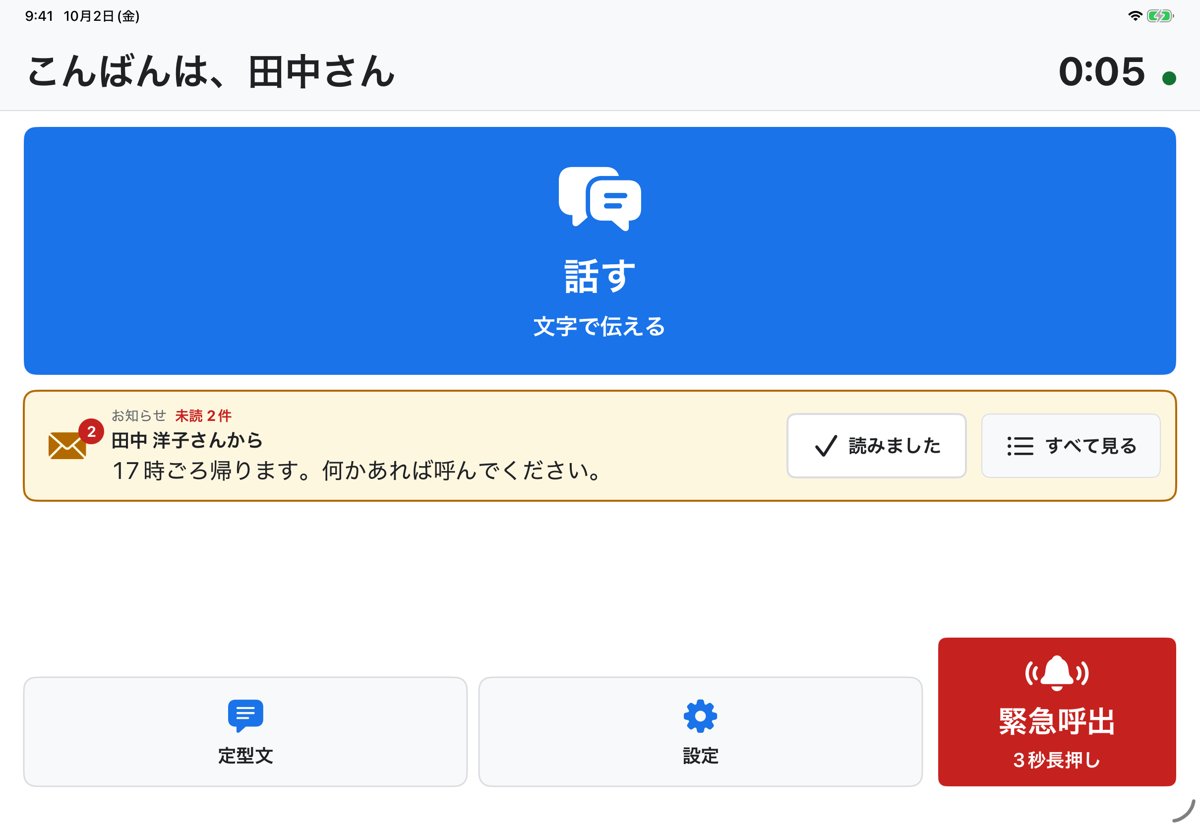
TF-ALS home screen on iPad

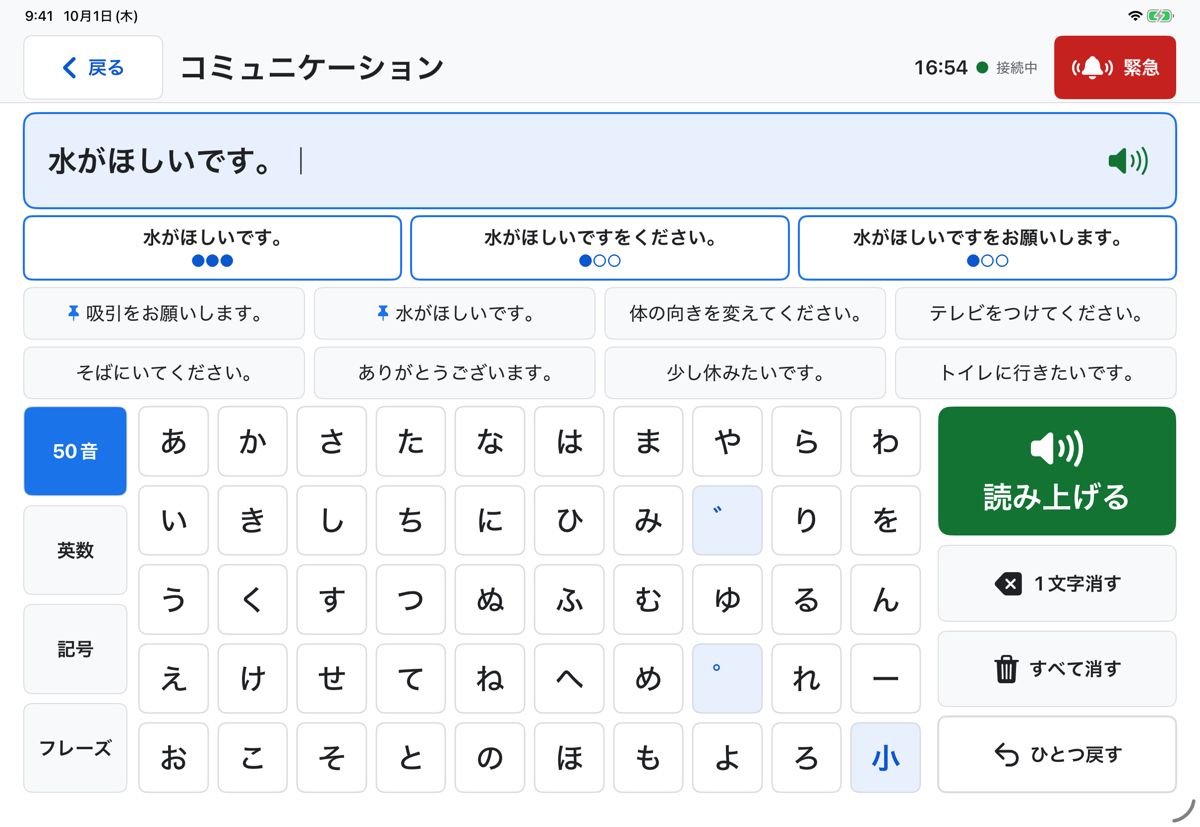
The "Talk" screen

Choose letters and the iPad speaks them aloud. Even when hands are hard to move, it can be used with eye gaze or a switch.

  • AI suggests how to continue from what you typed (up to 3)
  • Everyday phrases such as "I want some water" are one tap away
  • Switch between kana, alphanumeric, symbol and phrase keyboards
  • Call for help from any screen with "Emergency" at the top right
The "Talk" screen of TF-ALS on iPad, speaking a typed sentence

Three apps, connected around the patient

Patient: TF-ALS (iPad)

  • Choose letters by eye gaze, touch or switch, and have them read aloud
  • Build sentences with fewer actions using AI suggestions and saved phrases
  • Emergency call by holding for 3 seconds (a brief touch is not sent)
  • Receive notices from family and staff

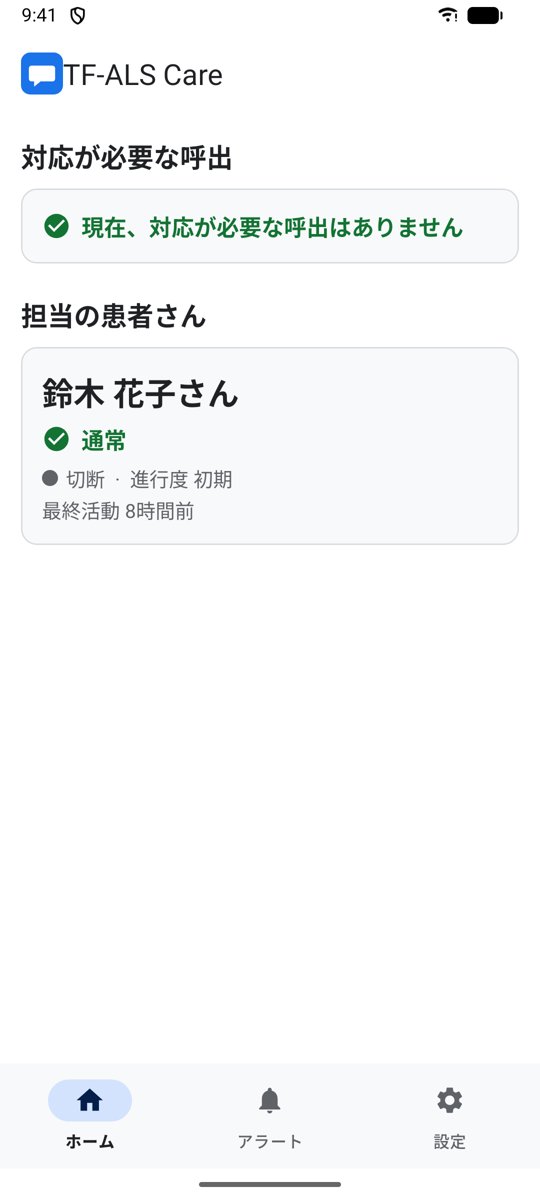
Family & staff: TF-ALS Care (iPhone / Android)

  • Emergency calls arrive as a full-screen alert with an alarm sound
  • Tap "On my way" and the patient's iPad shows that help is coming
  • If nobody responds, the next person is contacted automatically
  • Create the patient's iPad account from the app

Care providers: Web dashboard

  • See patients' status and alerts at a glance
  • Keep records from acknowledgement to resolution
  • Manage users, care teams and permissions
  • Available in 8 languages
TF-ALS Care home screen on a smartphone

Getting started

  1. Install TF-ALS CareA family member installs TF-ALS Care on their smartphone and creates an account.
  2. Create the patient's accountFollow the steps in the app to create a username and password for the patient's iPad.
  3. Sign in on the iPadInstall TF-ALS on the patient's iPad and sign in. Emergency calls will reach the family member's phone.

For home-visit nursing stations and other care providers, the administrator prepares the accounts.

Built to be safe

Encryption in transit and at rest

Communication uses TLS 1.3, and personal and health information stored on our servers is encrypted.

Verification and permissions

Two-step verification and role-based access mean only the people who need it can see the information.

Respecting the patient's wishes

The patient decides whether family can see their conversation history. Accounts can be deleted at any time.

TF-ALS is not a medical device and is not intended for diagnosis or treatment. Notifications may not arrive depending on the network and device settings.

Contact us

Please use the form below. Our staff will reply to the email address you enter (usually within 3 business days). Do not use this form for emergencies.

We use what you send only to respond to your inquiry (Privacy Policy).

For family members and care staff

Sign in (family & staff)